

 Tiếng Việt
1. What is Blur?
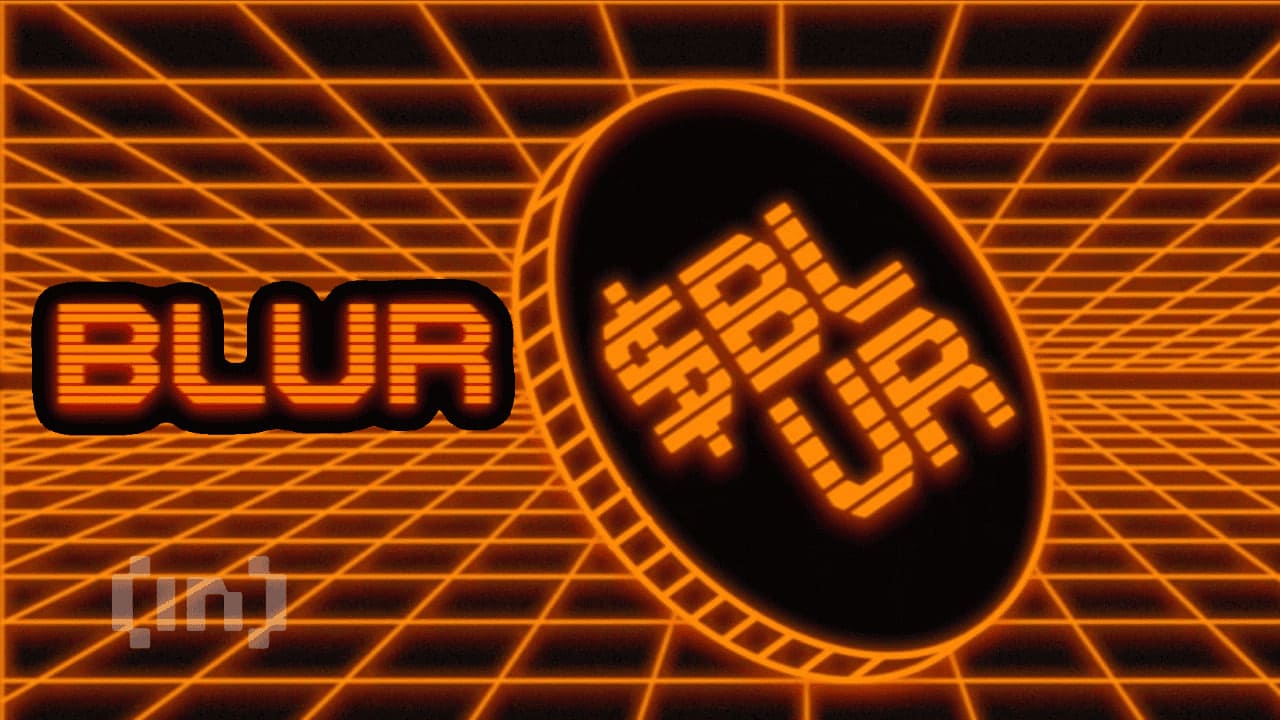
Blur is a decentralized NFT marketplace where users can bid, buy, and sell NFTs. Users can place bids on NFTs they’re interested in and execute transactions with ease.
Although Blur only launched in October 2022, it quickly rose to become one of the top NFT marketplaces on Ethereum, surpassing OpenSea in sales volume. Blur's goal is to create a safe, reliable, and user-friendly environment for NFT trading.
2. Features of Blur
As an NFT trading platform designed for traders, Blur has the following standout features:
- Aggregates NFTs from major marketplaces: Blur aggregates NFTs listed on top marketplaces such as OpenSea, LooksRare, and X2Y2, and also allows users to directly list NFTs on its platform.
- 0% transaction fees: Blur maintains a 0% transaction fee for NFT sales, setting it apart from many other marketplaces that charge transaction fees.
- Real-time updates: Blur users receive continuous updates on NFT collections, including floor price, trading volume, and ownership statistics.
- NFT portfolio management tools: Blur offers tools to manage NFT portfolios, providing users with an overview of important NFT details, profits, or losses from their collections.
- Optimized interface: Blur has a user-friendly interface that displays comprehensive information about an NFT collection on a single page, making it convenient for users to explore and access NFT information.
3. How to Bid, Buy, and Sell NFTs on Blur
To get started on Blur, first visit the Blur website and click on "Connect Wallet" to link your wallet. Currently, Blur supports connections with four wallets: Metamask, WalletConnect, Coinbase Wallet, and OKX Wallet. For this guide, we’ll select Metamask.
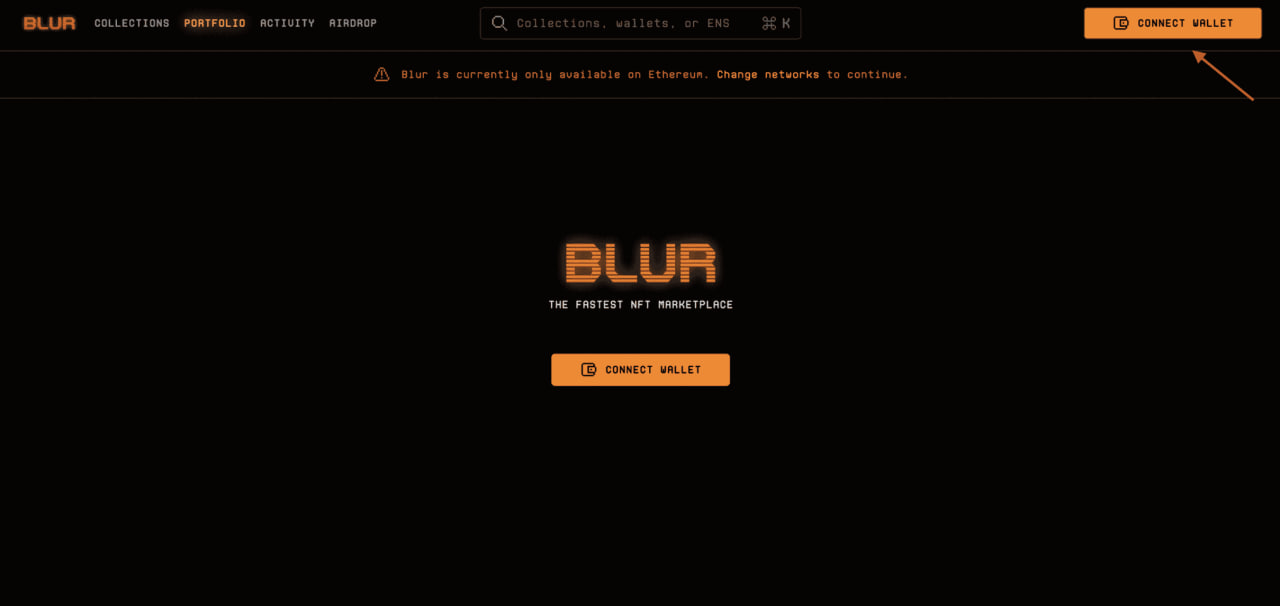
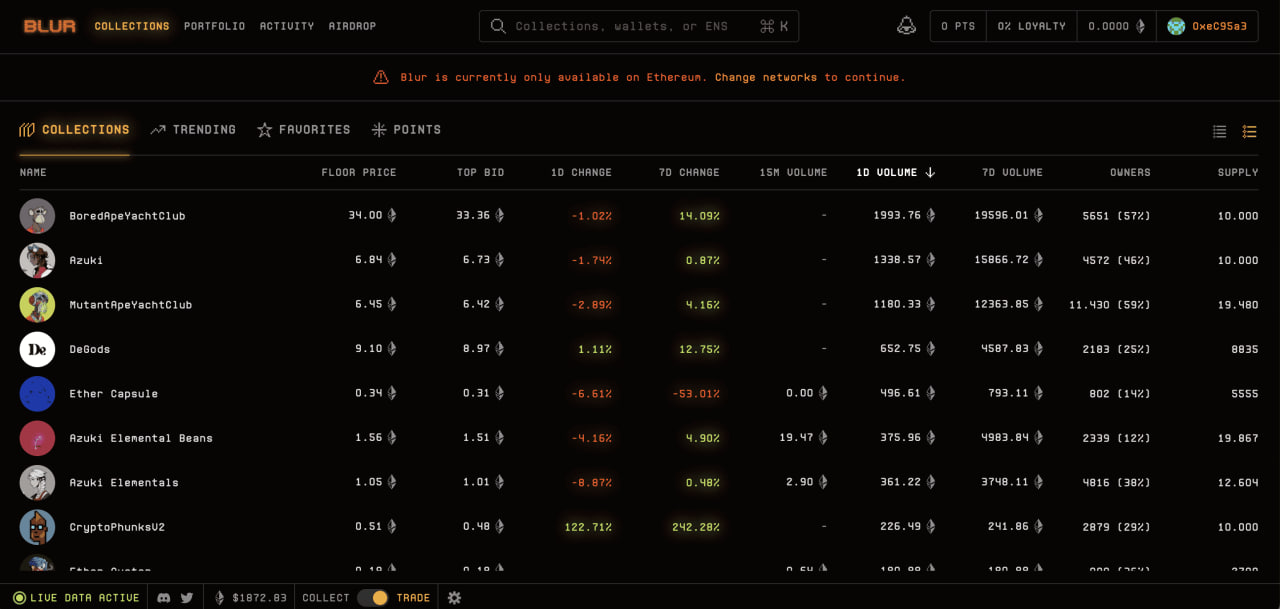
Below is an example of the Blur interface after wallet connection. The "Collections" section displays the available NFT collections on Blur.
3.1. How to Buy NFTs on Blur
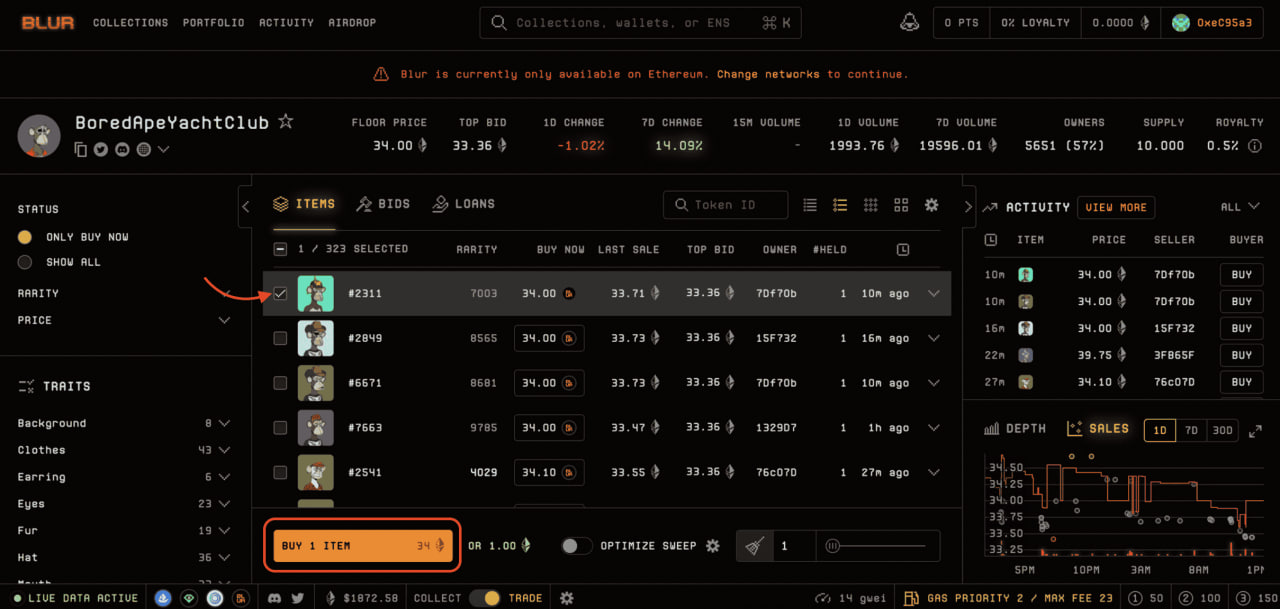
If you want to purchase an NFT, click on a collection. The left sidebar offers filters based on attributes for each project, allowing you to sort by rarity or NFT price.
Once you've chosen an NFT, select it, click "Buy Item," and wait for confirmation via your wallet to complete the purchase. In the "Portfolio" section, you can check the NFTs you own.
3.2. How to Sell NFTs on Blur
To sell an NFT, select the NFT you want to list and click on "List 1 Item." The interface will then display options where you can set the floor price and listing duration before posting the item.
.jpg)
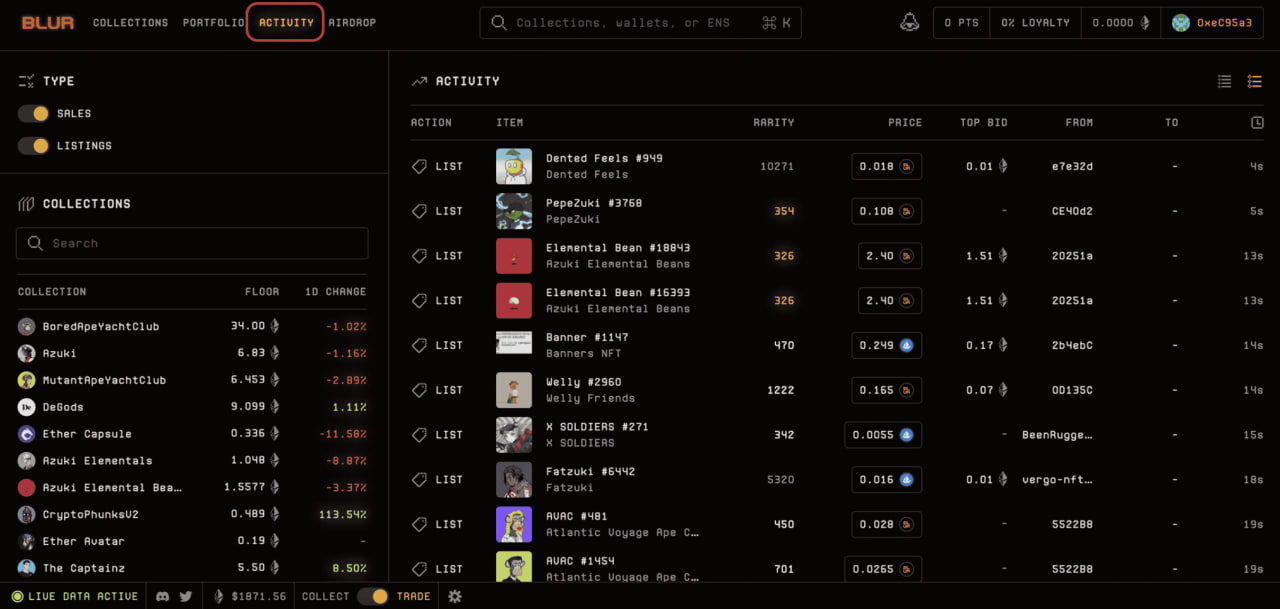
In the "Activity" section, users can view real-time listings, purchases, or sales of NFTs on the marketplace.
3.3. How to Bid on NFTs on Blur
If you’re interested in an NFT but don’t want to buy it at the current listed price, you can place a bid.
Note: You need to transfer funds from your wallet to the pool to participate in activities on Blur. Click the balance icon on the screen, enter the amount of ETH you want to transfer to the pool, and wait for wallet confirmation.
Once funds are in the pool, go to "Collections," select a collection you want to bid on, and click "Bids."
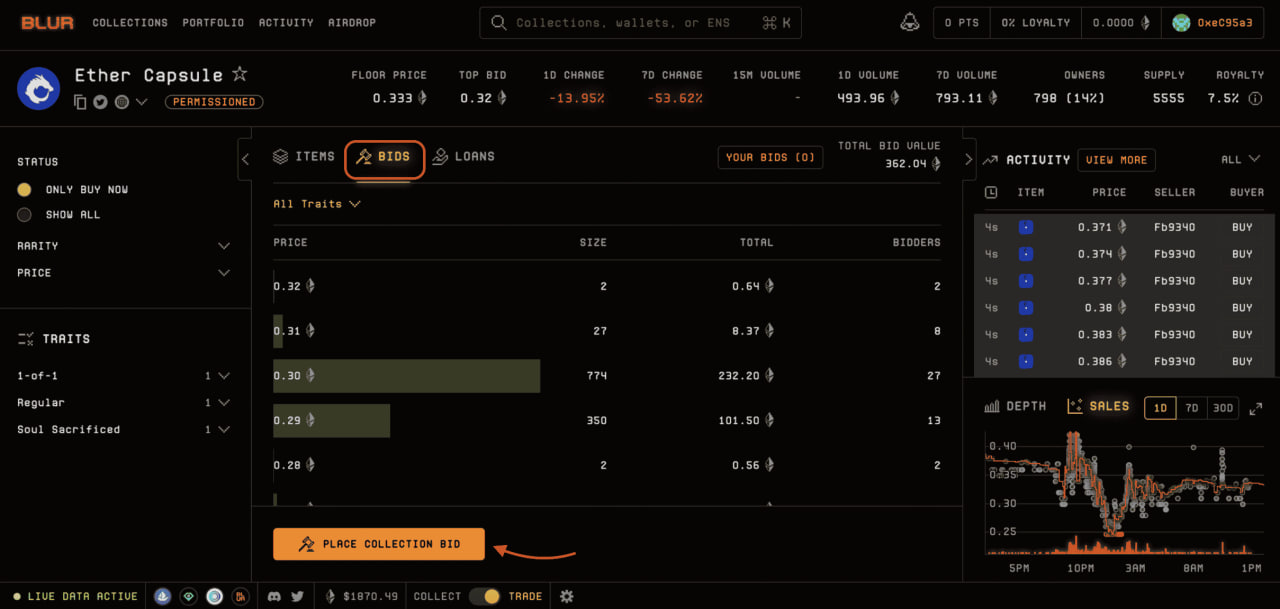
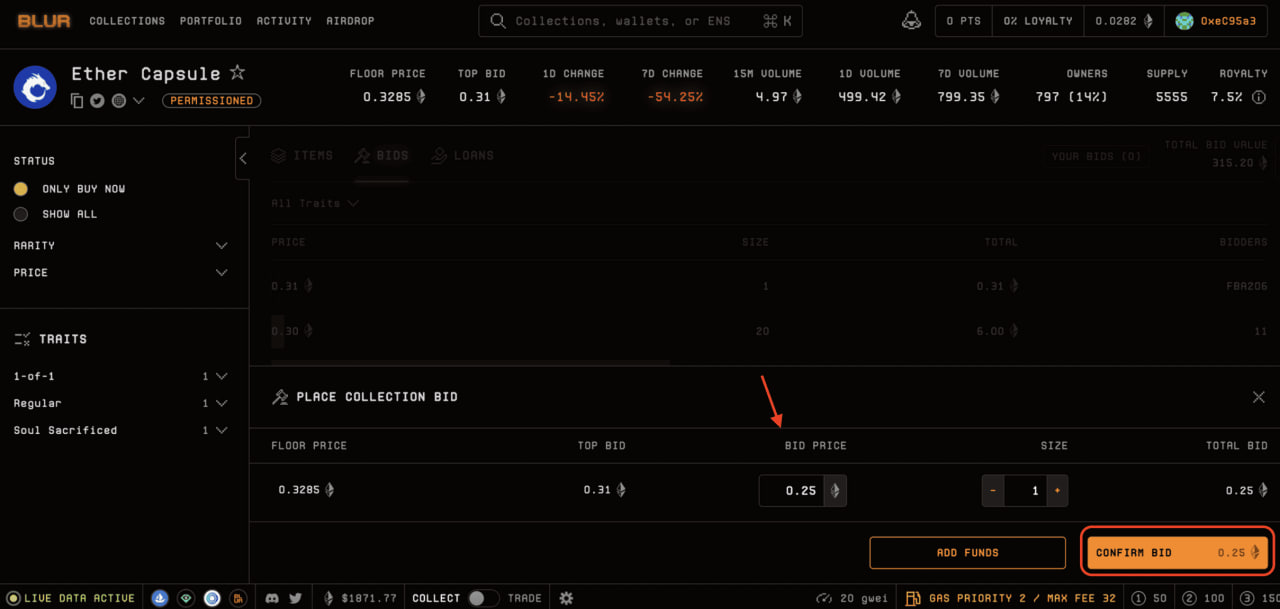
For instance, if you’re interested in buying an NFT from the Ether Capsule collection, search for it, then click "Bids" to place your bid.
Currently, the floor price for Ether Capsule is 0.3285 ETH, but if you want to bid lower, enter your desired bid price in the "Bid Price" section as shown in the image, then click "Confirm Bid" to finalize. Note: You can only place bids in increments of 0.01.
For example, if the NFT price is 0.4 ETH, you can place bids at 0.35 or 0.36 ETH, but not in fractions like 0.365 ETH.
4. Recent Updates from Blur on Bidding
Recently, Blur shared major updates on Twitter about Blur v2, which include:
- Traders can now save up to 50% on gas fees.
- Traders can place bids based on NFT traits.
4.1. Blur v2 is Now Live
With this launch, bids placed on Blur v1 are no longer valid. If you previously placed bids on Blur, please re-submit them on Blur v2.
4.2. Optimized Gas Fees in Blur v2
Blur v2 is optimized for gas efficiency, allowing users to save up to 50% on gas fees when trading on Blur. For security, all smart contracts for Blur v2 have been audited by Chain Light.
4.3. Trait Bidding
Previously, users could only place bids on entire collections, but with Blur v2, they can now bid on NFTs by trait level, whether common, rare, or any specific trait they prefer.
Trait bidding is now available for all collections on Blur v2, though only select collections offer users additional points.
4.4. Trait Bidding Points
You can earn more points by placing trait bids on collections like Punks, Degods, Milady’s, and nine other collections. Trait bids earn more points based on how much higher they are relative to the top collection bid prices.
4.5. Important Notes
You can continue to earn listing points on collections without Blend enabled. Listing points are VALUABLE, like bidding points.
Loyalty (royalty fees) is a key factor for all collections. Maximize your Season 2 rewards by listing NFTs exclusively on Blur and maintaining MAXIMUM LOYALTY.
In the meantime, you can earn additional Season 2 points by placing trait bids on collections that have enabled trait bidding points.
5. Conclusion
As a dominant project in the market, Blur provides users with valuable tools and experiences for NFT trading, along with a reliable environment for exploring and managing their NFT collections.
However, when using any platform, always thoroughly check the information and reputation of sellers before completing transactions to avoid unnecessary risks.
This guide covers the steps for bidding, buying, and selling NFTs, as well as recent updates on Blur. If you have any questions, please reach out to us through the social channels below.
Read More:

.jpg)
.jpg)
.jpg)
.jpg)